AI Cinematic Color · Teal-Orange Film-Still Grade
Upload a photo and the AI applies cinematic color grading: teal-orange tones, deepened contrast and widescreen ambient light, keeping the subject and composition for a striking film-still look.
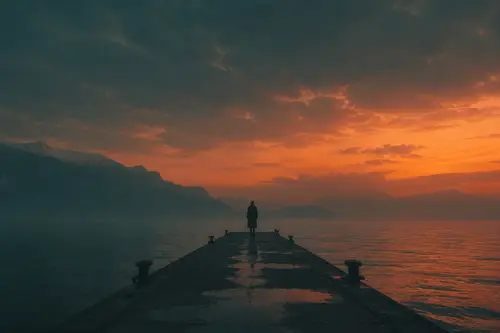
Why choose Cinematic Color
Classic teal-orange grading: warm skin, cool shadows, refined texture.
Deepened contrast and ambient light create film-frame dramatic tension.
Keeps the subject and composition, grading only, with style strength tunable via prompt.
How to use Cinematic Color
Four steps
Choose the image to process. JPG, PNG and WebP supported.
The matching instruction is pre-filled in the workspace; fine-tune if needed.
Click generate and the AI processes it.
Once you're happy with the preview, download the HD result, ready for commercial use.
FAQ
What photos suit cinematic color?
Portraits, street, travel and landscape photos all suit it, quickly boosting the image's look and mood.
Will it change the photo content?
No. It mainly does color grading and ambient-light adjustment; the subject and composition stay unchanged.
Can I do different film styles?
You can try teal-orange, cool, warm and other film looks through the prompt in the workspace.
Is it good for video thumbnails?
Yes. Cinematically graded images work great as video thumbnails, stills and promo images.
More AI Image Tools
Try Cinematic Color now
Sign up for free credits. Upload an image, process it, done.