AI Photo to Watercolor · Hand-Painted Illustration
Upload an image and the AI converts it into a hand-painted watercolor style: soft bleeding brushstrokes, paper texture, clear colors and natural negative space, preserving the subject's outline and composition.
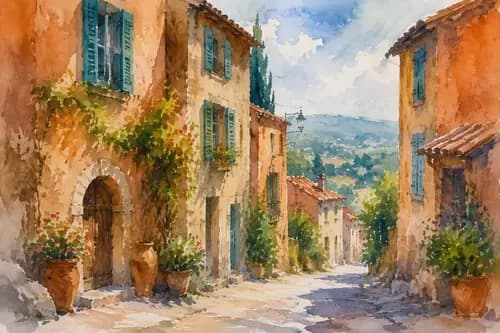
Why choose Watercolor
Simulate real watercolor's soft bleeding and layered strokes for a clear, fresh image.
Overlay watercolor-paper texture and natural negative space for a hand-painted illustration feel.
Preserves the subject's outline and recognizable composition while going artistic.
How to use Watercolor
Four steps
Choose the image to process. JPG, PNG and WebP supported.
The matching instruction is pre-filled in the workspace; fine-tune if needed.
Click generate and the AI processes it.
Once you're happy with the preview, download the HD result, ready for commercial use.
FAQ
Do I need painting skills?
No. Upload a photo and the AI auto-converts it into a hand-painted watercolor style. No illustration skills needed.
What is it good for?
Great for artsy avatars, illustration covers, greeting-card assets, art decor and more.
Can I adjust the colors?
You can tune the watercolor's tone and intensity through the prompt in the workspace.
Can portraits be turned into watercolor?
Yes. Portraits, landscapes and still life can all become watercolor illustrations.
More AI Image Tools
Try Watercolor now
Sign up for free credits. Upload an image, process it, done.